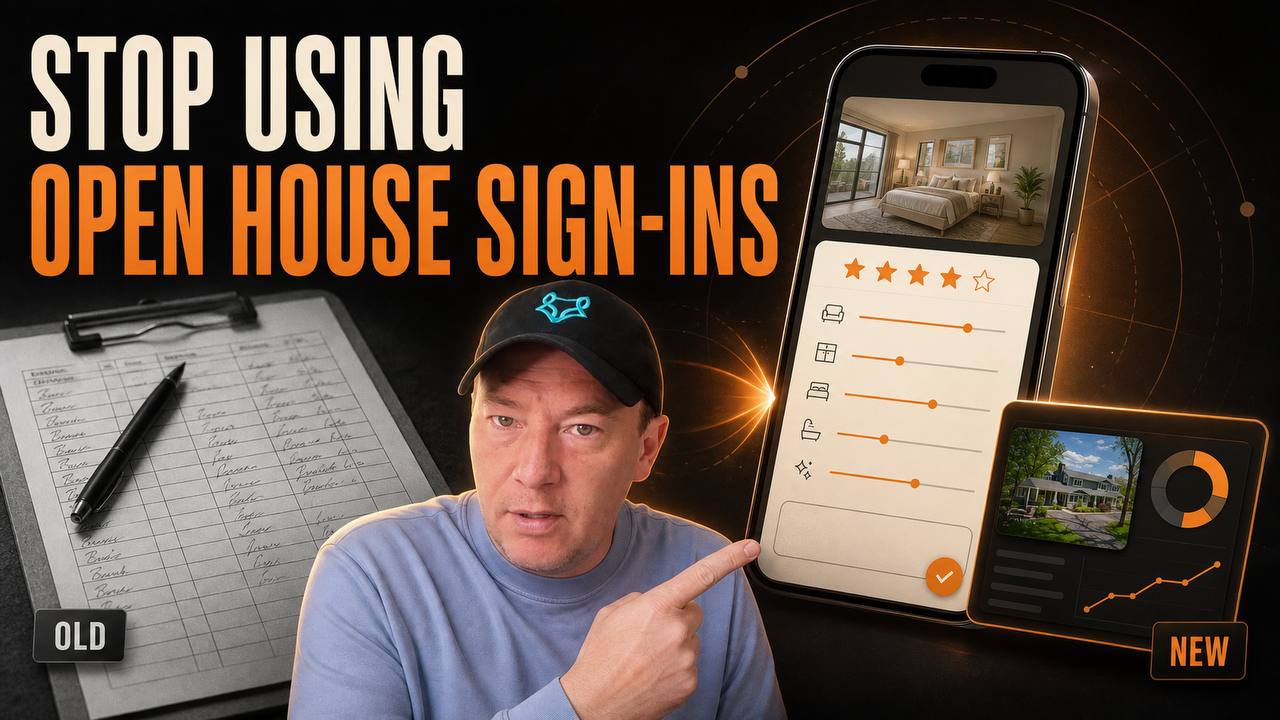
Stop Using Open House Sign-In Sheets: Use This AI Skill
Quick Summary
- A basic open house sign-in sheet captures contact information but misses the feedback sellers and agents actually need.
- This AI skill builds a branded, mobile-first guest experience with room-by-room ratings, written comments, overall interest, and a separate private owner dashboard.
- The public guest link can be turned into a QR code only after the final URL is live and verified.
- The skill requires a listing URL, full property address, property photos, and a brokerage or team logo before it begins.
- Privacy, optional marketing consent, accurate room labels, durable storage, and a full test submission are mandatory parts of the workflow.
- The complete
SKILL.mdfile is available near the top of this article.
An open house sign-in sheet answers one narrow question: who walked through the door? It rarely answers the questions that matter after the event. Which room created the strongest reaction? What concern appeared repeatedly? Which visitors showed serious interest? What should the seller hear, and what should remain in the agent's private follow-up queue?
That information usually disappears into scattered notes, rushed conversations, or generic follow-up texts. A name and email address are useful, but they are not a feedback system.
The better approach is a branded open house feedback website. Guests scan a QR code, review the rooms they just toured, leave concise comments, and submit only the contact information the agent actually needs. The seller or listing agent gets a separate private dashboard that organizes the responses into useful patterns.
I turned that workflow into a reusable AI skill. It is designed to take a public listing URL, property address, photos, and a logo, then build both sides of the experience while refusing to invent property details or expose private data.
Download the Open House Feedback Website Skill
This is the exact Markdown skill file. Read it before installation so you understand the required inputs, privacy rules, publishing gate, testing process, and final handoff.
The download is intentionally a readable SKILL.md file, not a black-box application. You can inspect every instruction, adapt the optional questions, and decide which platform should host the finished experience.
Player not loading? Watch this video directly on YouTube.
Why Open House Sign-In Sheets Produce Weak Feedback
Paper forms and simple digital sign-ins are optimized for registration. They usually ask for a name, email address, phone number, and representation status. That can support follow-up, but it does not capture the visitor's experience inside the property.
The agent still has to reconstruct the event from memory. A seller may ask whether people liked the kitchen, whether the price came up, or why visitors spent more time in one area. The answers often become vague: "People seemed to like it," "A few thought the bedrooms were small," or "Traffic was good."
Those statements are difficult to compare across multiple open houses. They also make it hard to separate a single loud opinion from a repeated pattern.
A structured feedback experience creates a consistent record. Every guest sees the same room labels and the same rating scale. The dashboard can show that the kitchen averaged 4.7 out of 5 while the outdoor space averaged 3.8. It can group comments about natural light, storage, layout, condition, or price expectations without pretending those comments are objective facts.
The goal is not to turn a home tour into a survey marathon. The goal is to capture a small number of useful signals while the experience is still fresh.
What the AI Skill Builds
The skill produces two distinct experiences.
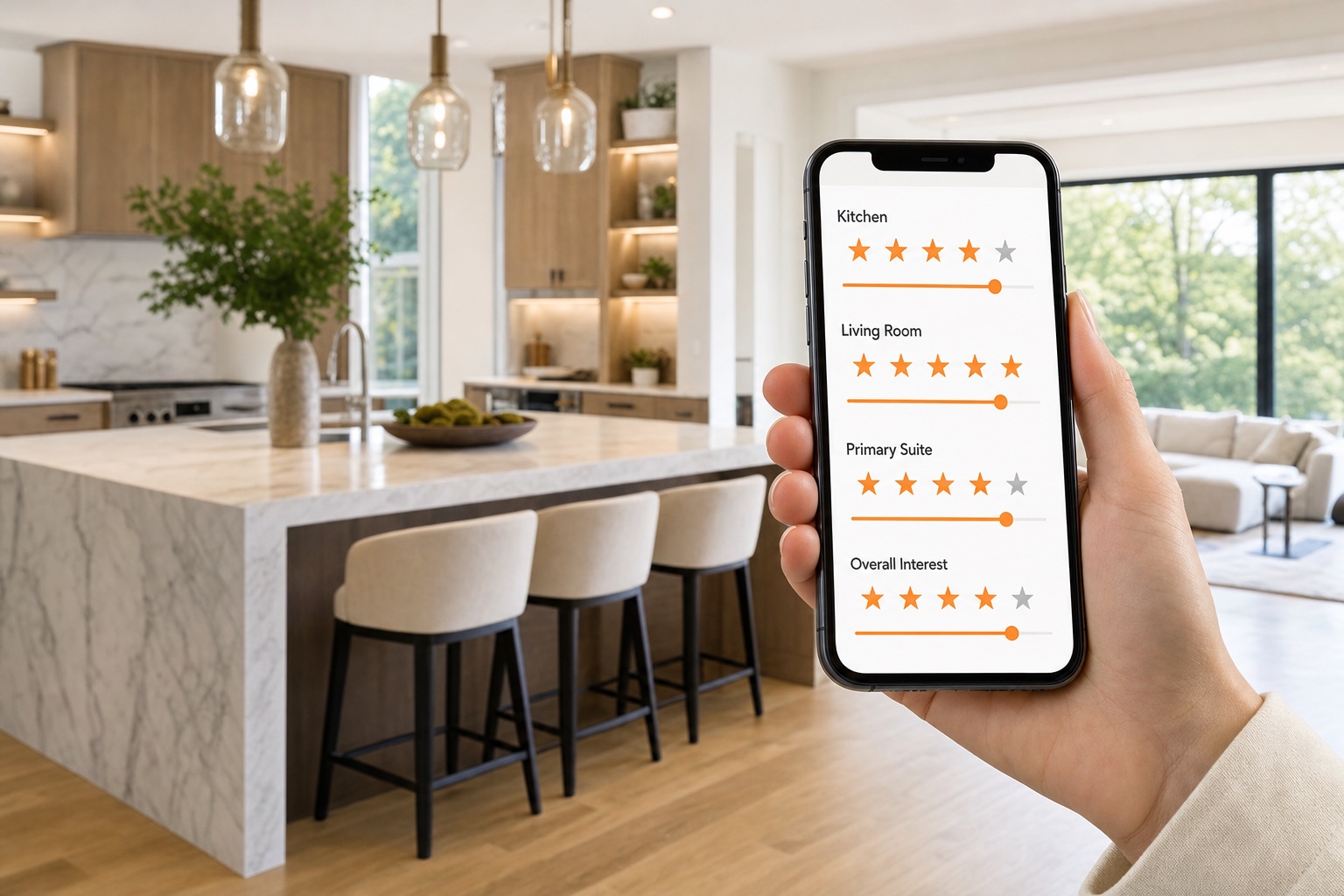
The first is a public guest route. It is designed for a phone because most guests will reach it from a QR code at the property. It uses the supplied logo, listing photos, and restrained brand colors to feel connected to the home and the agent without overwhelming the questions.
The second is a private owner dashboard. It retrieves the submitted feedback, summarizes room ratings, displays comments, and helps the agent review the event. The guest experience does not link to this dashboard, and the dashboard should not expose raw database controls or administrative secrets.
Keeping those routes separate matters. A public form should be simple and welcoming. A private dashboard can be more analytical. Mixing both into one route creates unnecessary privacy and security risk.
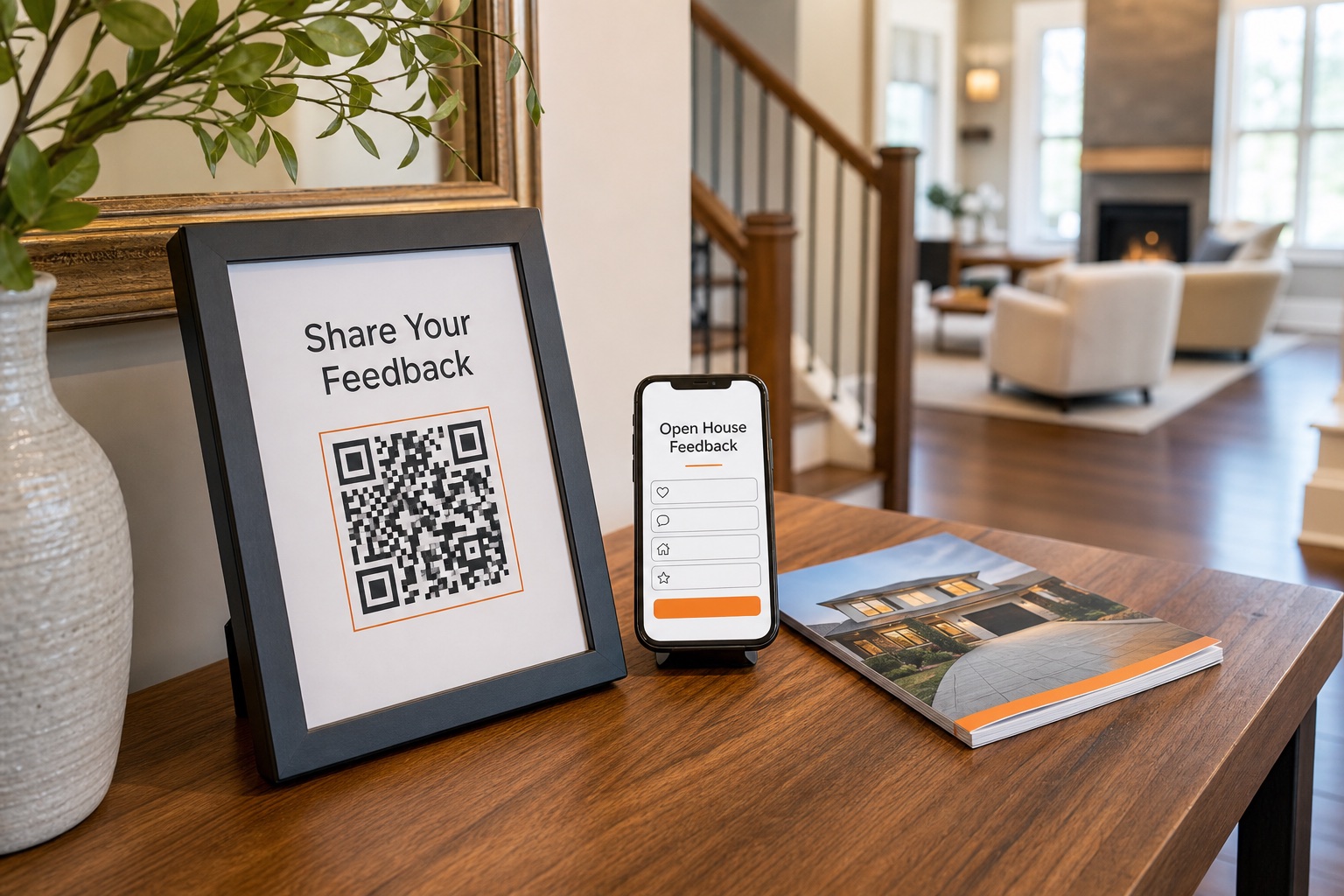
The workflow also creates a QR-ready public URL. The QR image is generated only after the guest route is final, accessible, and verified. That prevents the most embarrassing failure in this entire project: printing signs that point to a preview URL, restricted page, or expired deployment.
The Four Inputs the Skill Refuses to Guess
Before building, the skill requires four items:
- The public listing URL.
- The full property address.
- Property photos supplied as uploads or through an accessible folder.
- The brokerage or team logo supplied as an upload or accessible file.
These are not optional because they control factual accuracy and brand integrity.
The listing URL provides the published property facts and room descriptions. The address confirms the property identity. The photos determine which spaces can be included. The logo establishes the visual identity.
If the listing says "office" but the photo could also be a bedroom, the builder should not confidently relabel it. If two bedrooms look similar, the builder should flag the uncertainty or use a neutral supported label. A polished interface is not an excuse to make up a room inventory.
The optional inputs include brand colors, desired contact fields, marketing consent language, additional guest questions, and a preferred publishing platform. The skill can make restrained visual choices when those details are missing, but it cannot invent legal language, incentive terms, agent contact details, or property facts.
A Better Guest Experience, Room by Room
The guest flow should feel lighter than the old clipboard.
The opening screen identifies the property and explains why feedback is being requested. The visitor can then move through a short series of room cards using the actual listing photos. Each supported room can include a simple rating, an optional comment, or a focused preference question.
Useful questions are specific:
- How would you rate the kitchen?
- What stood out about the main living area?
- How well did the layout work for your needs?
- Which feature made the strongest impression?
- What question would you want answered before a second visit?
- How interested are you in learning more about this property?
Weak questions are vague, manipulative, or too long. "Did you love this amazing home?" produces less useful information than a neutral rating. A feedback form should not pressure the visitor into praise.
The form should also respect time. A guest who wants to submit room ratings should not be forced through twenty required questions. Written comments can remain optional. Contact fields should match the stated follow-up purpose. Required fields should be clearly marked, and validation errors should appear next to the problem instead of wiping out the form.
The Private Dashboard Turns Comments Into a Seller Conversation
The private dashboard is where the workflow becomes more valuable than a sign-in sheet.
At minimum, it should show the number of submissions, average room ratings, overall-interest distribution, recent comments, and the contact fields the agent was authorized to collect. Empty states should be intentional, not broken-looking screens.
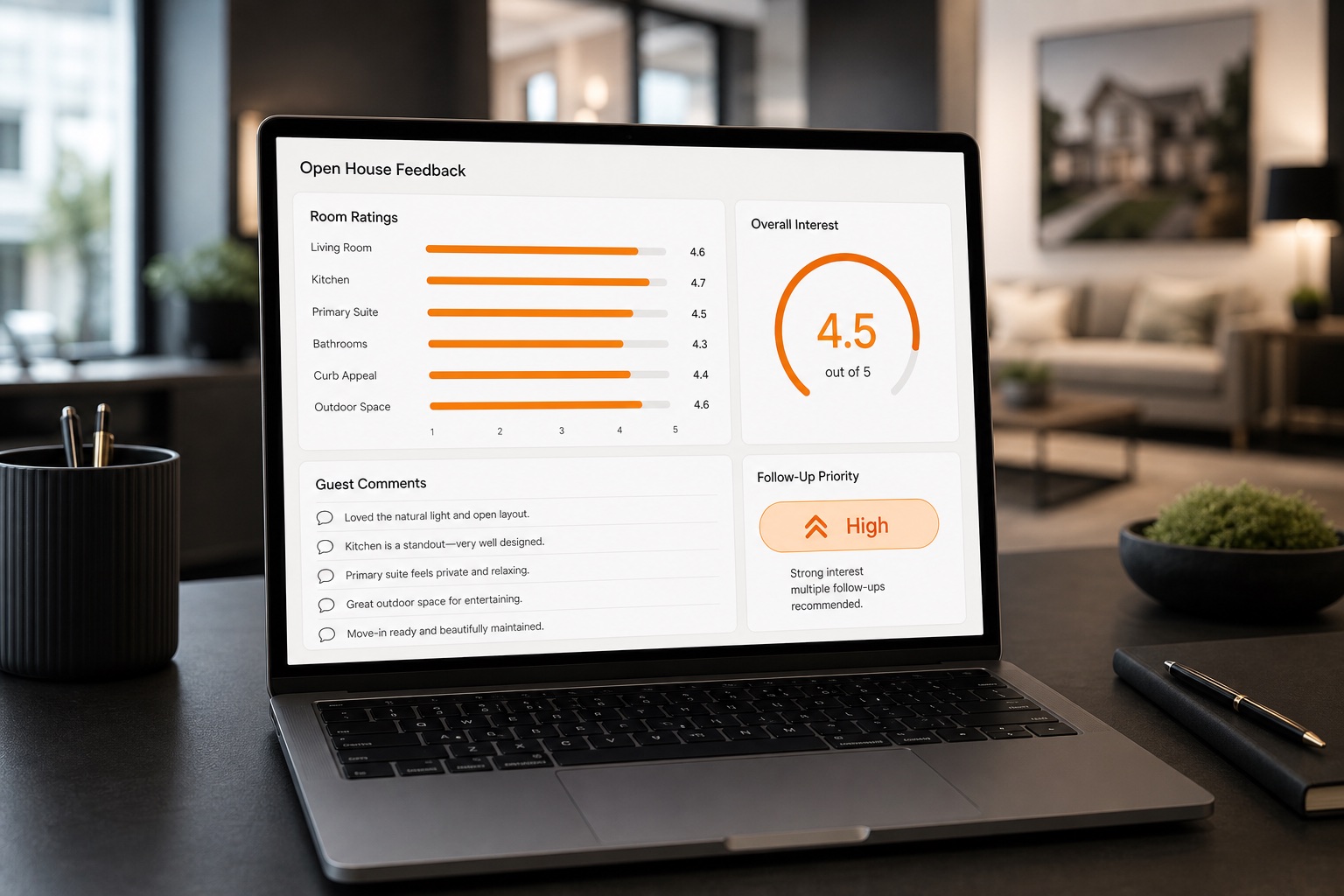
The dashboard should preserve individual responses while also helping the agent see patterns. If five guests mention limited storage, that repetition is more useful than one isolated remark. If the kitchen receives consistently strong ratings but overall interest remains mixed, the issue may be elsewhere in the property, price, timing, or visitor fit.
The dashboard should not make unsupported conclusions. A rating average does not prove market value. A visitor comment does not become a verified defect. A high-interest response does not guarantee an offer.
The right output is organized evidence for a human conversation. The listing agent can review the responses, add context, and decide what to share with the seller. The system helps the agent remember and compare. It does not replace judgment.
Privacy Rules That Make the Experience Trustworthy
A guest should understand what is being collected, who receives it, and why.
The skill requires a plain-language privacy notice. If the form collects a name and email, it should not promise anonymity. If the responses go to the listing agent and property owner, that should be stated. If device or technical data is stored by the selected platform, the builder should review what the platform captures rather than making a broad privacy promise.
Marketing consent must be optional, separate, and unchecked by default. It should not be bundled into the required feedback submission. A visitor can provide operational contact information for a property question without automatically agreeing to ongoing marketing.
The form should collect only what the workflow needs. Every additional field adds friction and responsibility. If the purpose is open house feedback and follow-up, there is usually no reason to request sensitive personal information.
Incentives require extra care. A giveaway cannot be added casually with "Enter to win" language. The sponsor, prize, eligibility, dates, and official terms need to be supplied and reviewed. When those details are missing, the incentive should be omitted.
This is an operating safeguard, not legal advice. Teams should have their privacy, consent, and promotional language reviewed for the jurisdictions where they work.
QR Codes Should Be the Last Step
A QR sign looks simple, but it depends on the entire publishing chain.
The public page needs a final URL. The route must open without an account. The property photos must load. The form must submit. The data must reach the dashboard. Mobile validation must work. Only after those checks pass should the builder create the QR code.
The skill treats preview, expired, and restricted URLs as blocking defects. That is the correct standard. A QR code can be beautifully designed and still be useless if it points to the wrong place.
Before printing, test the code from a separate phone that is not signed into the development account. Scan it under normal room lighting. Confirm that it opens the exact guest route and does not redirect to a login, editor, or platform preview.
Keep a short human-readable URL near the QR code as a fallback. Guests should have another path if their camera does not recognize the code or the printed sign is damaged.
Persistent Storage Is Not Optional
A feedback site that loses submissions is worse than a paper sheet.
The skill requires persistent storage using the safest supported data layer on the selected platform. The exact technology can vary, but the verification standard should not.
Create one clearly labeled test submission. Confirm that every field reaches the private dashboard accurately. Reload the dashboard. Open it from a second session if appropriate. Verify that the record still exists and that the guest cannot access it.
Remove the test record when practical so the seller dashboard begins with real responses. If the platform does not support removal without risking the live system, keep the record visibly labeled as a test and explain it in the handoff.
The builder should also verify empty states. Before the first guest submits, the dashboard should say that no feedback has been received. It should not show a fake chart or sample responses that could be mistaken for actual visitor data.
The Most Important Build and QA Gates
The skill identifies several defects that should stop the handoff:
- A property photo is assigned to the wrong room without an uncertainty note.
- The guest form cannot submit.
- The dashboard cannot retrieve the submission.
- The owner dashboard is linked from the guest route.
- Marketing consent is bundled with required registration.
- The QR code points to a restricted or temporary URL.
- The supplied logo is stretched, recolored incorrectly, or unreadable.
I would add five practical checks to that list.
First, test the complete flow at a narrow mobile width. Open houses are phone-first environments.
Second, verify image loading on a slower connection. A form should remain understandable if a large listing photo is still loading.
Third, test required-field errors without losing completed ratings and comments.
Fourth, test the private dashboard with zero, one, and several responses. Aggregation bugs often appear only after more than one submission.
Fifth, inspect the public source and network requests for exposed secrets. A public client should never contain a private database key or administrative credential.
How to Install and Use the Skill
Download the Markdown file and place it in the skill directory used by your AI workspace. Keep the filename as SKILL.md inside a clearly named folder such as build-open-house-feedback-site.
Then give the agent the four required inputs. A useful first request is:
Use the build open house feedback site skill. Here are the public listing URL, full address, property-photo folder, and team logo. Build the guest and private dashboard experiences, but stop before public publishing and ask me for explicit authorization at that gate.
That wording lets the agent build and test without assuming permission to publish. Public publishing, access changes, and replacing an existing live site should remain explicit actions.
After reviewing the private preview, authorize the final deployment. The agent should then verify both routes, create the QR code, run one test submission, confirm the dashboard result, and provide a concise handoff.
The handoff should include the public guest link, private dashboard link and access model, QR file or confirmed QR-ready URL, room inventory, questions, storage location, test result, and any unresolved photo-label uncertainty.
Questions Worth Adding Without Making the Form Exhausting
The base experience can be adapted to the property and audience. Keep the questions neutral and tied to decisions.
For buyers, ask about room impressions, layout, condition, questions, and overall interest.
For represented guests or agents, you might ask whether the property fits an active client need, what clarification would help, or whether they expect a second visit.
For neighbors, the form can focus on property impressions and referrals without pretending they are prospective buyers.
Avoid questions that invite discriminatory preferences about who should live in the home or what type of person belongs in the neighborhood. Describe the property and the visitor's reaction to its features. Do not ask guests to characterize protected classes or neighborhood demographics.
The form is a real estate marketing tool, so Fair Housing compliance still matters. Better data does not justify inappropriate questions.
What This Changes for the Listing Appointment
The most powerful use of this workflow may happen before the first open house.
An agent can show a seller that the marketing plan includes more than traffic counts and a stack of names. The plan includes a branded feedback experience, structured room-level signals, a private dashboard, and a documented post-event review.
That makes the service visible. The seller can see how feedback will be collected and how decisions will be supported. The experience also demonstrates that the agent has a repeatable system instead of improvising after every event.
The skill does not guarantee better feedback or a sale. It creates a stronger process. Results still depend on attendance, visitor participation, the property, price, presentation, market conditions, question quality, and follow-up.
But it replaces "people seemed to like it" with a defensible record of what visitors actually submitted.
Frequently Asked Questions
Does the skill create a public website automatically?
It can build the experience on the platform available to the agent, but public publishing remains a separate approval gate. The guest route should not be made public until the user explicitly authorizes publishing and the final links have been tested.
Can I use the skill without a listing URL?
No. The listing URL is part of the required intake because it helps verify property facts and room labels. The skill is designed to stop when a required source is missing or inaccessible.
What information should the guest form collect?
Collect only what supports feedback and the approved follow-up plan. Name and email can be the default, but the final fields should be chosen deliberately. Marketing consent should remain optional, separate, and unchecked.
Can sellers see guest names and comments?
That depends on the approved access model and privacy notice. The workflow should state who receives the responses and avoid promising anonymity when identifiers are collected. Decide the seller-facing detail level before publishing.
Should the QR code be created first?
No. Create it only after the public guest URL is final, accessible, and verified. Otherwise the printed code may point to a preview, restricted, or expired address.
Does this replace agent follow-up?
No. It organizes feedback and interest signals. A human still reviews responses, decides what belongs in the seller conversation, and handles appropriate follow-up.
Build the System Before the Next Open House
The clipboard is not the problem because it is paper. It is the problem because it captures too little, organizes nothing, and produces no useful owner experience.
A branded open house feedback website can turn the same moment into structured, reviewable information. Guests get a quick mobile form. The agent gets a consistent operating process. The seller gets a clearer picture of what visitors actually said.
Download the skill, inspect the guardrails, and test it on a property before relying on it at a live event.
Want more practical AI systems for real estate? Subscribe to AgentAIBrief and follow AgentAIBrief on Instagram for daily AI workflows for agents.