Google Search Console Now Tracks Social Media SEO

Quick Summary
- Google Search Console is gradually adding platform properties for Instagram, TikTok, X, and YouTube accounts and channels.
- A platform property shows how content from that specific social account performs in Google Search, Discover, and Google News.
- The reports include clicks, impressions, click-through rate, average position, search queries, pages, countries, devices, and other familiar Search Console dimensions.
- Platform properties do not report the account's total native reach, views, likes, saves, or follower growth.
- Each account or channel is added as a separate property and requires authorization through the relevant platform.
- The free downloadable AI skill in this article walks through setup, verification, baseline capture, reporting, and ongoing content decisions.
Google just gave social media teams a direct view into a part of discovery that was previously difficult to measure. Google Search Console can now treat supported Instagram, TikTok, X, and YouTube accounts as platform properties. Once an eligible profile is connected and verified, the owner can see which Google searches produced impressions and clicks for content from that account.
This is not a replacement for native platform analytics. It is a new search-intelligence layer. Instagram can still tell you about Reel plays and profile activity. YouTube Studio can still explain watch time and audience retention. Search Console answers a different question: when people searched on Google, which queries and social posts connected?
For real estate professionals, marketers, creators, and local businesses, that distinction matters. A video may look average inside a social app but continue appearing for high-intent Google searches. Another post may attract strong engagement from existing followers while producing almost no search visibility. Until now, those outcomes were easy to blend together.
Google's official announcement says the feature is rolling out gradually, so it may not be visible in every Search Console account yet. When it appears, the setup is short. The harder part is building a useful operating routine around the data.
Download the Social-to-Search Console Skill
This is the exact ZIP supplied for this workflow. It has been preserved without repackaging or modification. The skill guides an AI operator through connection, authorization, baseline capture, query analysis, reporting, and a recurring improvement loop.
Read the files in the archive before installing or running the skill. It is designed to make the process repeatable, but the account owner should remain in control of authorization, access, and any publishing decisions.
What Google Search Console Platform Properties Actually Do
A Search Console property is the unit Google uses to organize search-performance data. Most people know URL-prefix and domain properties, which represent websites. A platform property applies the same basic idea to a supported social account or channel.
According to Google's platform property documentation, Instagram, TikTok, X, and YouTube are supported. Each account or channel is represented by its own property. If a business operates two YouTube channels and one Instagram account, those are separate properties rather than one blended social dashboard.
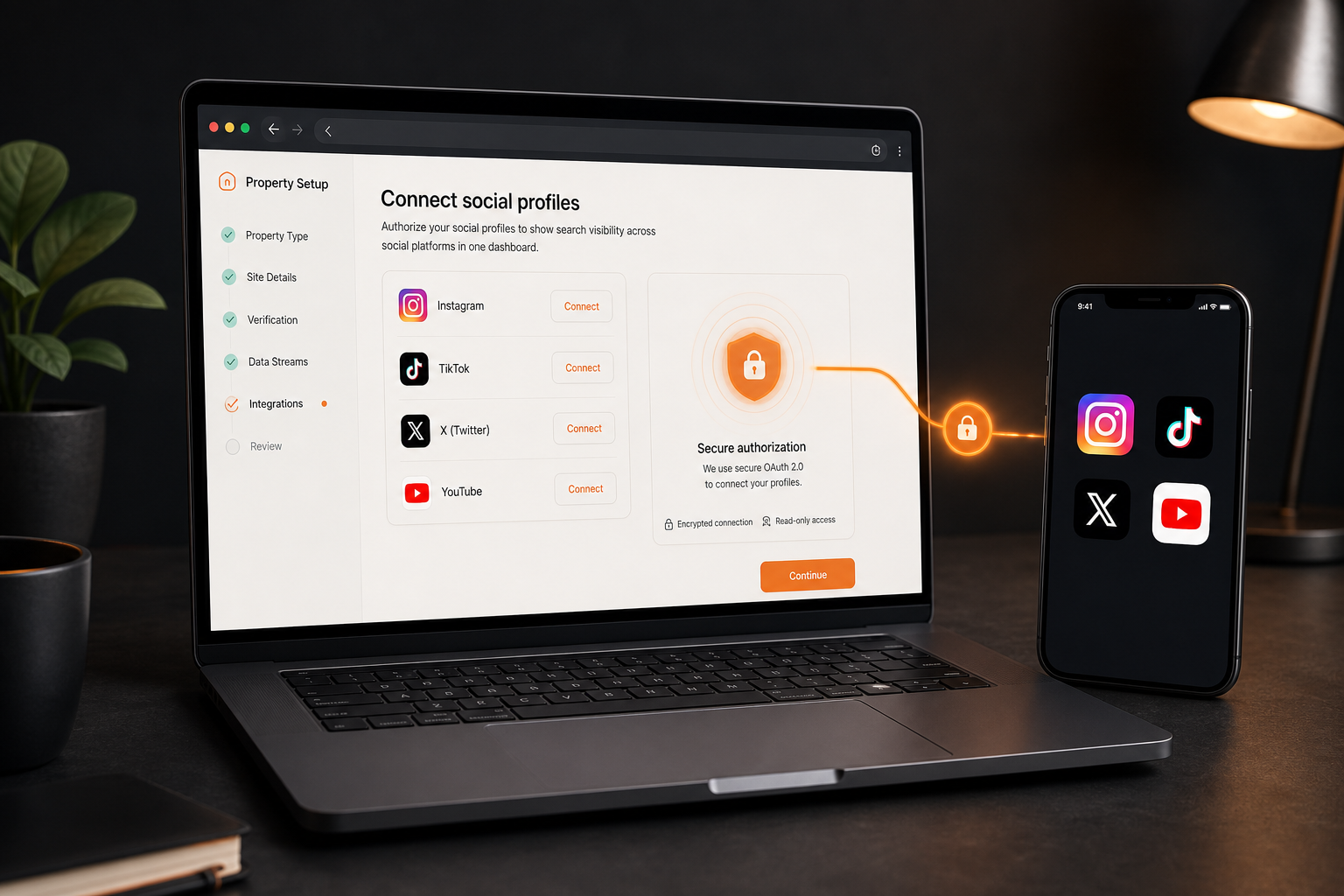
The owner adds a platform property through the property selector in Search Console, chooses the platform, and authorizes the connection. Google notes that data can take a few days to appear. Ownership is also checked periodically, so a disconnected account, changed permission, or revoked authorization can interrupt access.
Adding the property does not boost rankings. Google's general property documentation is explicit that adding a property enables tracking and does not change how the associated content appears in search. This is measurement infrastructure, not an indexing shortcut.
That boundary protects the value of the feature. The reports help you identify what Google already understands, where search demand exists, and which published social assets earn visibility. They do not guarantee that a post will rank because a profile was connected.
The Data Is About Google Discovery, Not Total Social Reach
The most important limitation is also the easiest one to miss.
Platform-property reports cover performance from Google Search, Discover, and Google News. They do not represent all impressions generated inside Instagram, TikTok, X, or YouTube. A Reel shown 40,000 times in Instagram's feed could produce only a small number of Google impressions. A tutorial with modest native reach could build search visibility over months.
Keep the two measurement systems separate:
- Native platform analytics explain what happened inside the social network.
- Search Console explains how Google surfaced content from the connected account.
- Website analytics explain what happened after someone reached a site.
- Customer relationship and revenue systems explain whether attention became business.
Combining those layers is useful. Confusing them is dangerous.
If a platform property reports 1,000 impressions, do not call that the post's total reach. If it reports 50 clicks, do not assume those visitors reached your website. The click may have taken the searcher directly to the social post or profile. The report describes a Google-to-social path.
That path is still valuable. It reveals language people use before they know your brand. It can surface questions, locations, services, and problems that generate durable discovery beyond the first few hours of a post's life.
The Search Console Reports Worth Watching
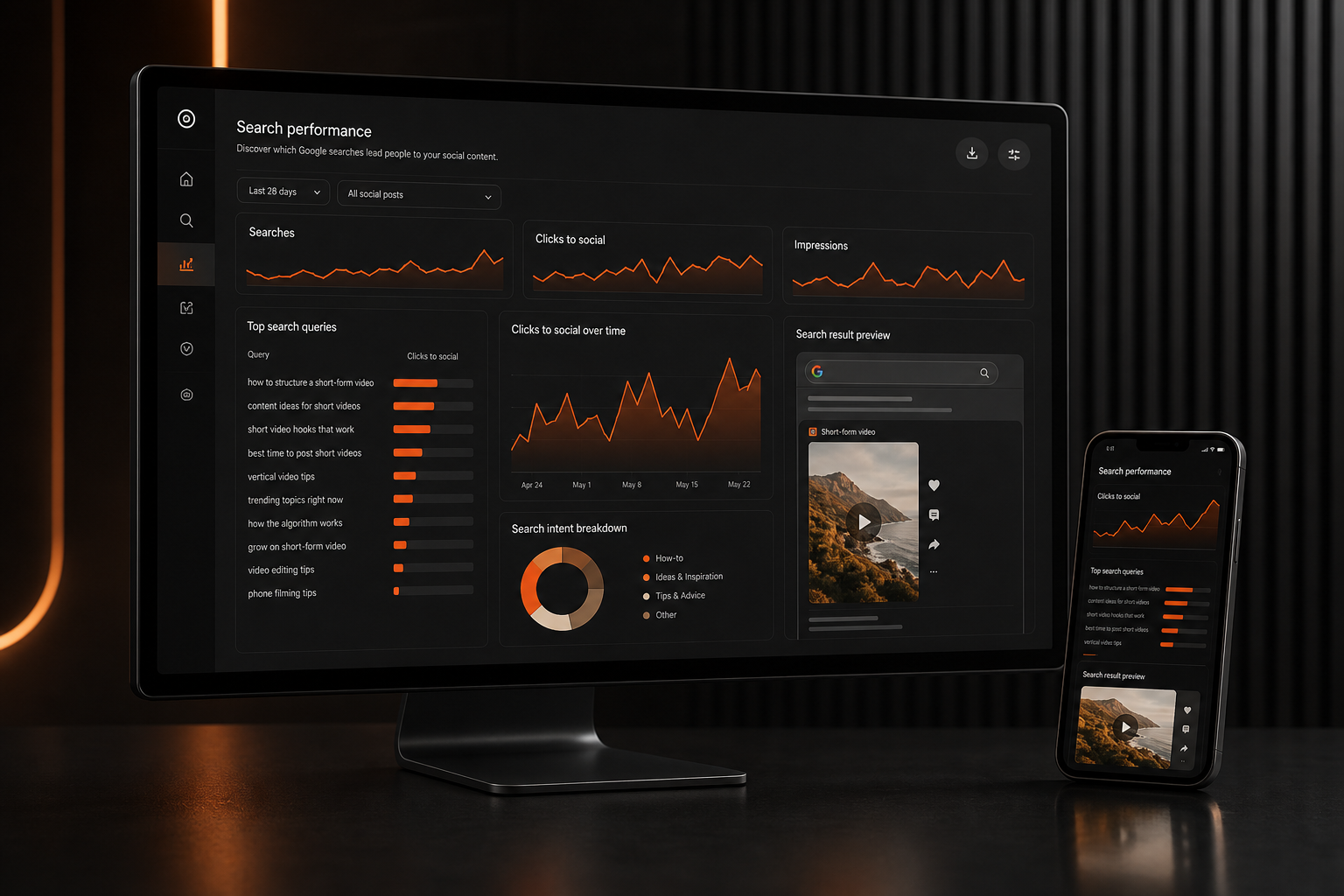
Google says platform properties can use familiar areas of Search Console, including Performance, Insights, and Achievements. The Performance report is the practical center of the workflow.
Clicks
A click records a user selecting a search result that leads to content associated with the connected social account. Track clicks by query and page, then compare them with the post's purpose. A broad educational clip may earn many informational clicks. A local service video may attract fewer clicks but stronger commercial intent.
Impressions
An impression means content was shown in an eligible Google surface. Impressions are useful for detecting growing visibility before clicks become significant. A page with increasing impressions but weak click-through rate may need a clearer title, stronger opening language, or a better match between the searcher's question and the content.
Click-through rate
Click-through rate is clicks divided by impressions. It helps compare how often visible results earn a visit. Avoid judging it without context. Search position, query type, brand familiarity, result format, and competition all affect the number.
Average position
Average position summarizes the highest position of the property for eligible impressions. It is directional, not a promise that every user saw the same ranking. Use it to spot movement over time and to compare groups of related queries, not to celebrate one isolated daily fluctuation.
Queries and pages
Queries reveal the words people typed. Pages identify the social posts, videos, or profile URLs that Google surfaced. The useful analysis connects both dimensions: which query produced visibility for which piece of content?
The default report window may begin at 28 days, so change the date range deliberately when building a baseline. A seven-day view can be noisy. A 28-day or 90-day view is usually more useful for understanding search discovery, especially for evergreen posts.
How to Connect Instagram, TikTok, X, and YouTube
The interface may vary slightly while Google rolls out the feature, but the official process is straightforward.
- Open Google Search Console with the Google account that should manage the property.
- Open the property selector.
- Choose the option to add a property.
- Select the supported social or video platform.
- Sign in to the platform account when prompted.
- Authorize the requested connection.
- Confirm that the new account or channel appears as a separate Search Console property.
- Wait a few days for data to populate before deciding that the connection failed.
Use the account that has legitimate control of the profile. Do not share a personal password with an AI agent or paste credentials into a prompt. Complete the platform authorization in the official sign-in flow.
For a team account, document who owns the connection and who should retain Search Console access. Periodic ownership checks mean the reporting layer can break later if the original account loses permissions. A simple access record prevents a future mystery.
Google's Search Central announcement describes the new capability as a way to see the search terms that lead people to social content. That is the right mental model for setup: connect the account, wait for data, and use the reports to understand discoverability.
Capture a Baseline Before Changing Your Content
The first useful action is not rewriting every caption. It is recording the current state.
Set a consistent date range, such as the most recent 28 days. Export or record the account totals for clicks, impressions, click-through rate, and average position. Then capture the leading queries and pages.
For each high-impression page, note:
- The post or video topic.
- The visible title, caption, or opening line.
- The search queries producing impressions.
- Whether those queries match the content's actual promise.
- Whether clicks are rising, flat, or falling.
- Whether the asset is timely or evergreen.
This becomes the baseline. Without it, a later improvement has no reference point.
Do not overreact to a small account's first few days of data. Search reporting often starts sparse. Group patterns across several posts and several weeks. A local business may discover that neighborhood questions outperform generic industry advice. A creator may find that practical how-to clips keep earning impressions while trend commentary disappears.
The goal is not to chase every keyword. It is to identify repeatable intersections between audience questions, your expertise, and formats Google can understand.
Turn Search Queries Into Better Social Content
Search queries are not merely keywords to paste into captions. They are evidence of intent.
Suppose a real estate agent's video appears for a query about a specific inspection issue. That signal can lead to a clearer follow-up video, a detailed website article, a client checklist, or an FAQ. The query tells you what the audience is trying to solve. The response should solve it better.
A practical content cycle looks like this:
- Find queries with meaningful impressions.
- Map each query to the social asset Google surfaced.
- Check whether the asset answers the query quickly and accurately.
- Improve the title, spoken opening, on-screen language, caption, and supporting webpage where appropriate.
- Publish a genuinely stronger asset rather than a duplicate with swapped keywords.
- Compare the next 28-day period with the baseline.
For video, the spoken words matter because platforms and search systems can interpret transcripts. Clear titles, accurate captions, descriptive on-screen text, and a focused answer help the content communicate its subject. None of those elements should become robotic keyword stuffing.
The best optimization is editorial clarity. Say what the video covers. Answer the question early. Use the place, product, workflow, or problem name accurately. Give the viewer a reason to continue.

A Weekly 30-Minute Social Search Review
This feature becomes useful when it has a cadence. A short weekly review is enough for most teams.
First 10 minutes: check changes
Compare the latest 28-day window with the preceding period. Look for large changes in clicks and impressions, then identify the queries and pages responsible. Record the movement without inventing a cause.
Next 10 minutes: inspect intent
Read the leading new queries. Group them into practical themes such as how-to, comparison, local, brand, product, problem, and news. Open the associated social content and confirm that it deserves to rank for those terms.
Final 10 minutes: choose one action
Pick one improvement with a clear owner. It might be a stronger follow-up video, an updated caption, a supporting article, a better internal link, or a refreshed evergreen explanation. Do not create a backlog of thirty vague ideas. One completed action produces more learning than a sprawling spreadsheet.
Keep a small decision log with the date, query evidence, chosen action, publication URL, and next review date. That turns Search Console from a passive dashboard into an editorial feedback system.
Where AI Helps and Where It Should Stop
AI is useful for the repetitive parts of this workflow. It can organize exported queries, cluster similar intent, summarize changes, propose content briefs, and produce a weekly report. It can also compare a transcript with the queries that surfaced the video and identify unanswered questions.
AI should not be given unsupervised authority over account access, platform authorization, public publishing, or claims about performance.
A safe division of labor is:
- A human authorizes each platform connection.
- The AI reads exported or approved reporting data.
- The AI groups queries and drafts observations.
- A human reviews the interpretation.
- The AI proposes content actions.
- A human approves anything that will be published.
- The next report measures the result.
The downloadable skill follows that operating pattern. It provides structure without pretending a dashboard can make the editorial decision by itself.
Treat any claim about causation carefully. A post can gain impressions because demand changed, competition changed, Google changed the result format, or the content improved. Search Console shows what happened. It does not always explain why.
Common Mistakes to Avoid
The first mistake is calling platform-property impressions total social reach. They are not.
The second is combining several accounts mentally even though Search Console stores each one as a separate property. Build account-level baselines before producing a portfolio summary.
The third is changing too many variables at once. If the title, caption, video, webpage, and publication schedule all change together, the next report cannot tell you much about which action helped.
The fourth is optimizing for irrelevant visibility. A large impression count from unrelated queries can look impressive while producing no useful audience connection. Relevance beats volume.
The fifth is assuming the feature is available everywhere today. Google describes the release as gradual. If the platform option is missing, document the check and revisit it later rather than forcing a workaround through an unofficial integration.
The sixth is treating authorization as permanent. Search Console performs periodic ownership checks. Keep access clean and know which account maintains the connection.
The seventh is publishing private exports or exposing account details inside an AI prompt. Remove personal information, use approved tools, and share only the data needed for analysis.
What This Changes for Social Media SEO
Social media SEO has often relied on indirect evidence. Teams could observe Google results manually, inspect native analytics, and watch website referrals, but the path from a Google query to a specific social asset was difficult to manage in one place.
Platform properties make that path more visible. They give creators a direct record of queries, impressions, clicks, and surfaced content from supported accounts. That changes the quality of the conversation.
Instead of saying, "This topic feels searchable," a team can say, "These queries produced impressions for this video during this period." Instead of guessing which old posts still matter, it can find evergreen assets that continue earning search discovery. Instead of copying a trend, it can build around durable questions its audience is already asking.
The feature will not rescue weak content. It will not merge every marketing metric. It will not replace native analytics, website analytics, or revenue tracking.
What it can do is close an important measurement gap. For teams willing to connect the accounts carefully, preserve a baseline, and review the data consistently, Google Search Console can now help turn social publishing into a more accountable learning system.
Download the skill near the top of this article, connect only the accounts you control, and begin with one 28-day baseline. The first win is not more content. It is knowing which content Google already helps people find.