ChatGPT Work for a Daily Real Estate Prospect Brief
Quick Summary
- ChatGPT Work, announced July 9, 2026, enables longer-running AI tasks across connected applications and files
- Build a private daily dashboard that ranks prospect signals without storing or displaying personal data
- The system requires explicit human review before any outbound action or contact attempt
- Workspace controls, app permissions, and scheduled tasks keep operations compliant and scoped
- This workflow is a proposed pattern for how real estate teams might operate; individual implementations depend on plan availability, workspace configuration, and rollout status
ChatGPT Work represents a significant shift in how AI can assist real estate professionals with time-intensive, multi-step tasks. Unlike brief chat interactions, ChatGPT Work is designed for sustained operations that span multiple connected applications, files, and browser interactions. For a real estate prospecting workflow, this capability opens the door to a safer, more structured approach to daily prospect evaluation: a private briefing system that gathers behavioral signals, ranks opportunities, and prepares intelligence for human review and decision-making. This article walks through how to architect such a system responsibly while respecting data privacy, compliance obligations, and the critical role human judgment plays in relationship-based real estate business.
Understanding ChatGPT Work Capabilities
ChatGPT Work launched as a paid tier feature on July 9, 2026, available initially to Pro, Pro Lite, Enterprise, and Education plans, with Pro Plus and Business plans following as rollout continues. The defining feature is sustained, multi-step task execution that can span hours or even be scheduled to run repeatedly. Unlike traditional ChatGPT, which operates in a single conversation, ChatGPT Work can maintain context across multiple applications, browser tabs, file uploads, and scheduled executions. This makes it ideal for workflows that require gathering data from multiple sources, performing evaluations, and preparing summaries for human review.
The real estate application is straightforward: instead of manually reviewing each prospect contact daily, an AI agent can systematically evaluate public behavioral signals, rank priorities, and prepare a brief. The system can work across your CRM interface, public web data sources, and internal documentation, stitching together a daily summary without ever requesting contact information or taking action toward a prospect directly.
ChatGPT Work includes three primary operational modes: immediate task execution, where you submit a task and monitor progress in real time; file and application handling, where the system can read and write documents, spreadsheets, and presentations; and scheduled tasks, which allow recurring execution without manual triggering. For a real estate team, scheduled daily execution at a fixed hour (for example, 6 AM before the workday begins) makes the most sense.
Setting Up Your Private Prospect Dashboard
The foundation of a safe, compliant ChatGPT Work prospect workflow is a private dashboard that serves as the single source of truth for daily intelligence. This dashboard should be a spreadsheet, document, or embedded web application accessible only to your team and the ChatGPT Work agent via OAuth or workspace-scoped access controls.
The dashboard does not include prospect names, phone numbers, email addresses, or any other personally identifiable information. Instead, it uses internal record identifiers (such as CRM database IDs) and behavior-based ranking criteria. For example, a record might be ranked by last-interaction date, property-search frequency on your website, open email rate, or document download activity. These signals indicate engagement level without exposing identity to the AI system or creating unnecessary compliance friction.
Each row in the dashboard represents one prospect contact from your assigned portfolio. Your team has already decided which contacts you actively work with; ChatGPT Work simply helps you prioritize which ones warrant outreach that day. By keeping scope narrow (only your assigned records, only public or authorized behavioral data), you reduce risk and focus the AI's attention where it matters most.
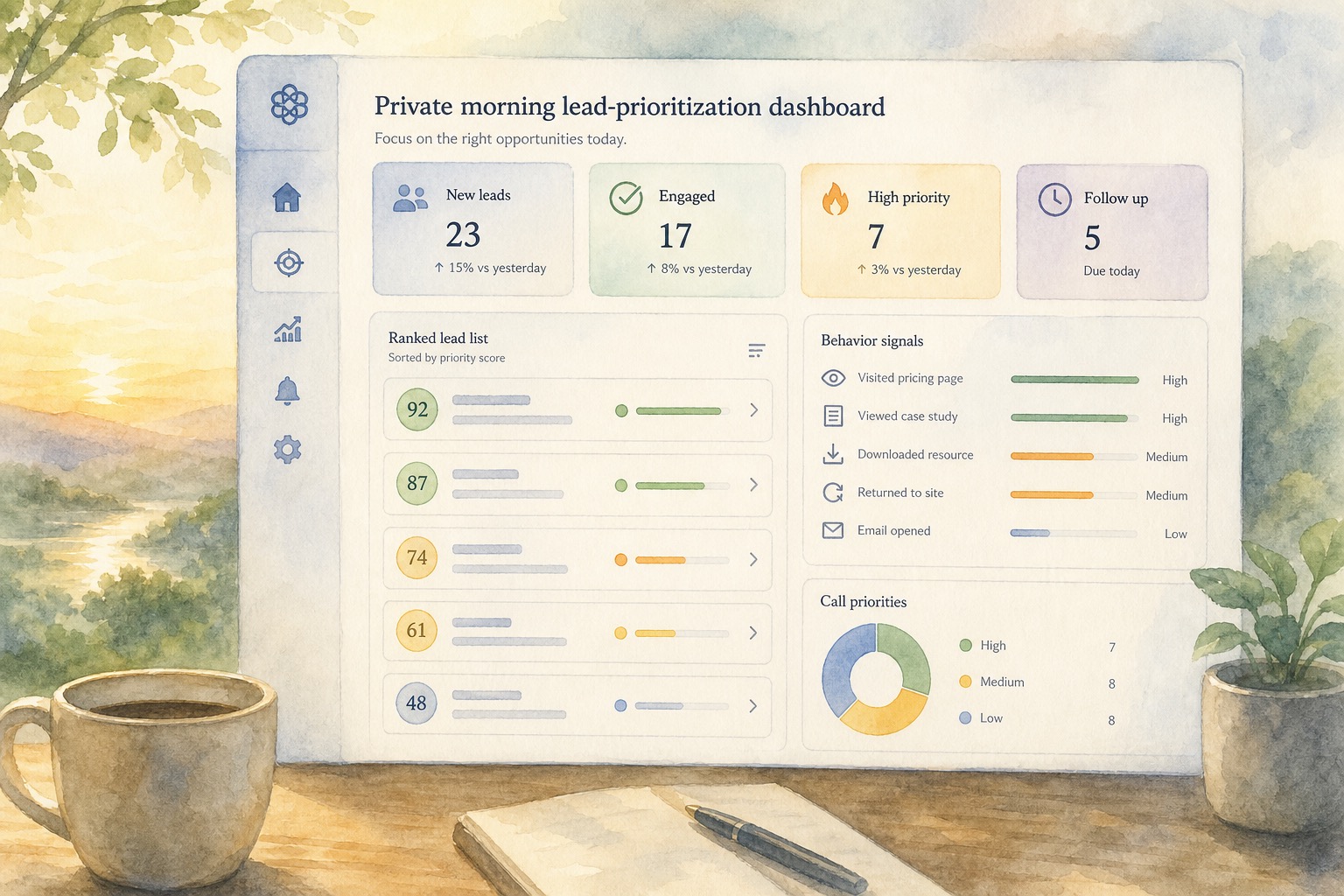
The dashboard refreshes daily via ChatGPT Work's scheduled task feature. When the task runs, it queries your CRM or prospect database for records matching specific criteria: accounts assigned to you, records not marked do-not-contact, properties not yet closed, and interactions within the past 30 or 60 days. It then ranks these records by behavioral signals and updates the dashboard with timestamps and scoring metadata.
Importantly, the dashboard is private. It is not shared on the public internet, not stored in an unsecured location, and not visible to prospects or the general public. Only your real estate team members and the authorized ChatGPT Work agent can access it. This privacy-first approach aligns with best practices outlined in OpenAI's official guidance: treat website and application content as untrusted, keep tasks specific, check the active account before execution, and review all AI-generated results before taking action.
Configuring Workspace Access Controls
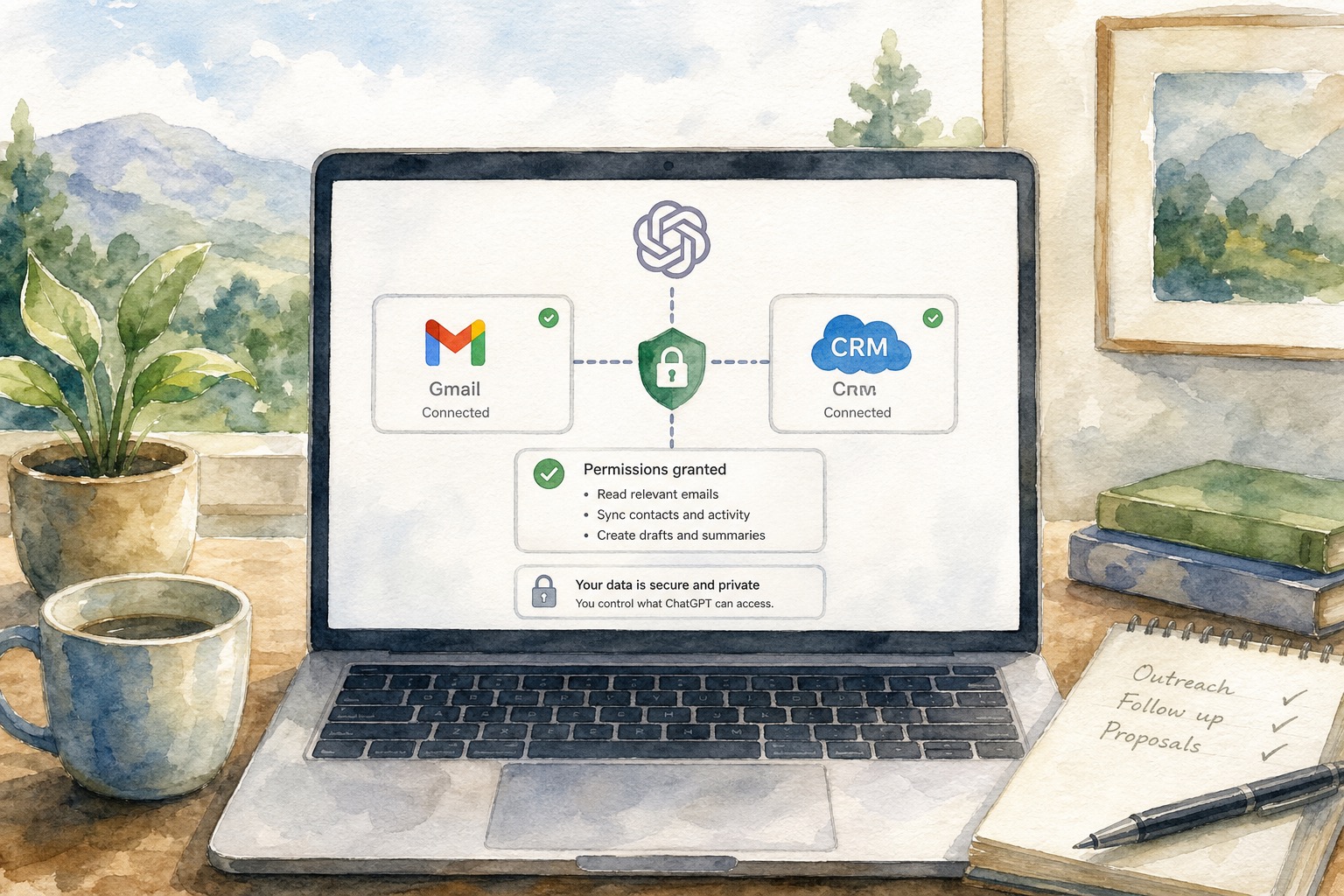
ChatGPT Work operates within a workspace context, meaning your real estate office or brokerage defines which applications the AI agent can access and what permissions it holds. OpenAI has provided workspace controls and OAuth integration to ensure that even a long-running AI task cannot access systems or data beyond its approved scope.
Your workspace administrator should configure the following controls: CRM Integration grants ChatGPT Work read-only access to your prospect database or CRM interface, where the agent sees only assigned records, with row-level security or contact assignment filtering enabled and no access to records assigned to other team members or closed transactions. Dashboard Application connects the private daily dashboard application with user and service account OAuth, allowing ChatGPT Work authentication as a service account with write access only to the dashboard table or sheet, not to underlying CRM data. Browser Tool Configuration clarifies whether the ChatGPT desktop application's built-in browser operates in a separate browser state or whether the Codex Chrome extension accesses your existing Chrome login session, and specifies which websites the AI is allowed to visit (your company website, public real estate data sources, and market research sites, but not personal email, financial information, or unrestricted third-party platforms). Notification and Logging enables audit logs so that every ChatGPT Work task execution is recorded, including what data was accessed, what decisions were made, and what outputs were generated.

OpenAI requests user attention to several practices: keep tasks specific (not vague or overly broad), check which account is actively running the task (to ensure it matches your workspace identity), treat all website and app content as potentially untrusted until verified, and always review results before taking any action. For a real estate prospecting workflow, these practices translate to: define exactly which CRM records are in scope, ensure ChatGPT Work is running under your workspace identity, validate that behavioral signals are accurate and current before deciding to reach out to a prospect, and always require human approval before the system moves from intelligence gathering to outbound contact.
Building Your Automated Briefing Workflow
The core workflow cycle runs daily on a fixed schedule, typically early morning before your team begins work. Step 1 is Trigger and Authentication: at the scheduled time (for example, 6 AM EST), ChatGPT Work wakes up and attempts to authenticate to your CRM or prospect database using the workspace OAuth credential. If login fails, if multi-factor authentication is required, or if the credential has expired, the task stops immediately and logs a failure alert. It does not retry silently or attempt alternate credentials. Human intervention is required to restore access before the next scheduled run. This safeguard prevents a runaway process from accessing stale or unauthorized data.
Step 2 is Data Retrieval and Filtering: once authenticated, ChatGPT Work retrieves your assigned prospect contacts, automatically filters out records marked do-not-contact, closed transactions, and any contact outside your assigned portfolio, and pulls public behavioral signals (website visit dates, email engagement, document downloads, or other events you have authorized it to see) without pulling personal data, financial information, or any field marked as confidential or regulated.
Step 3 is Ranking and Scoring: using criteria you have defined in advance (for example, interactions within 14 days, higher engagement frequency, geographic proximity to active markets), ChatGPT Work scores each prospect. The scoring is algorithmic and repeatable; the same prospect with the same signals always receives the same score, ensuring fairness and consistency. This scoring is purely informational and does not pre-determine your outreach strategy.
Step 4 is Dashboard Update: ChatGPT Work writes the ranked prospect list to your private dashboard, ordered by score from highest to lowest. The update includes only record IDs, scores, and signal metadata (e.g., last interaction date). No personal information, no email addresses, no phone numbers. The timestamp of the refresh is logged so you know when the data was current.
Step 5 is Human Review and Decision: you or your team members review the dashboard. For the top prospects by score, you may decide to reach out, send a market update, or schedule a follow-up call. Critically, the decision to take any action is entirely yours. ChatGPT Work does not send an email, text message, or contact any prospect on your behalf. It prepares intelligence; you decide what to do with it.
Structuring Your Prospect Evaluation Signals
The success and safety of a ChatGPT Work prospect workflow depends on choosing evaluation signals that are observable and fair (based on behavior anyone can see or measure, not on protected characteristics like age, race, religion, familial status, disability, or national origin), authorized (you have explicit permission to collect and analyze these signals), current (the signal is recent enough to be actionable), and explainable (you can articulate to a compliance officer why a particular signal indicates engagement or opportunity).
Candidate signals for a real estate prospect brief include Last Contact Date, which shows how many days have passed since the last email, call, or meeting with the contact (longer intervals may indicate an opportunity to re-engage). Email Engagement tracks whether the prospect has opened your recent market updates, listing announcements, or educational emails, where open rate and click-through rate are fair, observable signals. Website Activity indicates whether the contact has visited your team website recently, used the property search feature, downloaded a market report, or browsed specific neighborhoods, all of which indicate active intent. Document Interaction shows whether the contact has downloaded or viewed a comparative market analysis, buyer's guide, or neighborhood profile you have shared. Inquiry Source identifies whether the contact was referred by a past client, a community event, a public search, or another fair, documented source, helping you prioritize warm inquiries. Property Interest Overlap demonstrates whether the contact's stated property preferences match active inventory or market activity in your area, which is fair and behavior-based.
Signals you should absolutely avoid include age, race, ethnicity, religion, national origin, familial status, disability, or gender identity. Do not use inferences about financial capacity based on zip code, neighborhood, or demographic assumptions. Exclude unverified third-party data that relies on protected-class assumptions. Never apply any preference or exclusion rule motivated by Fair Housing discrimination.
By anchoring your evaluation signals in observable behavior and authorized data, you ensure that ChatGPT Work helps you work smarter, not biased or unlawfully.
Implementing Human Review Checkpoints
One of the critical safeguards in a responsible ChatGPT Work prospect workflow is the explicit human review checkpoint. This is not optional; it is foundational.
After ChatGPT Work updates your daily dashboard, at least one team member (typically a broker, team lead, or compliance officer) reviews the rankings and outputs before any action is taken. This review process serves several purposes: Accuracy Check verifies that the prospect rankings are reasonable and that the signals are current and accurate, with investigation if a contact's score seems wrong. Bias Detection uses human judgment as a check against unintended bias, pausing to investigate if you notice a pattern (for example, all top-ranked contacts happen to share a demographic characteristic). Compliance Review confirms that no contacts marked do-not-contact have been included, that no closed transactions are being revisited inappropriately, and that no confidential or regulated data has been exposed. Context Integration adds human judgment and context that the AI may not have, such as knowing that a prospect just closed a home and is not currently in market, even if the CRM data is slightly outdated, or knowing that a contact prefers not to hear from you via email despite lack of an explicit do-not-contact flag.
Once the review is complete and you have approved the briefing, you decide which prospects to contact and how. You compose an email, you make a phone call, you schedule a follow-up. The AI did not do these things; you did. This human-in-the-loop design keeps AI as a tool for intelligence gathering, not as an autonomous contact system.
Scheduling Consistent Daily Operations
ChatGPT Work's scheduled task feature enables your prospect briefing workflow to run automatically at a fixed time each day. For a real estate team, the ideal schedule is typically 6 AM or 7 AM, before the team begins client-facing work, so the briefing is ready for review as the day starts.
To set up scheduling, in your ChatGPT Work workspace, define the task (retrieve prospect data, score by engagement, update dashboard), specify the schedule (daily, at a fixed UTC time, for an indefinite duration or until a specified end date), designate a notification recipient (usually the team lead or compliance officer) who receives a summary of each run (success or failure, number of prospects evaluated, top scores, and any errors or access issues), and test the task manually first, in real time, so you understand exactly what it does and can verify outputs before automating.
Important caveats, per OpenAI's July 2026 guidance: Availability and Rollout means ChatGPT Work and scheduled tasks are rolling out gradually, and your Pro or Enterprise plan may not have access immediately. Check your workspace settings or contact OpenAI support to confirm eligibility. Plan Coverage notes that Scheduled tasks and ChatGPT Work are not available on Free or Go plans; availability on Plus and Business plans is still rolling out as of July 2026, with Pro, Pro Lite, and Enterprise having priority access. Reliability means OpenAI does not guarantee that a scheduled task will always succeed, especially in early rollout phases, as tasks may fail due to service interruptions, authentication issues, or resource limitations, so always maintain a human backup process. Browser and Site Behavior indicates that ChatGPT Work's browser tool may operate in a separate browser session from your personal Chrome session, sites accessed by the browser tool are treated independently, and some sites may require additional authentication or may behave differently when accessed by an automated agent versus a human, requiring testing and validation before relying on automated access.
Once scheduled, check in on the task weekly: review the notification logs, spot-check a few of the dashboard outputs, and confirm that the rankings still make sense. AI systems can drift over time as data changes; human oversight ensures the briefing remains accurate and fair.
Avoiding Common Privacy and Compliance Pitfalls
Real estate is a heavily regulated industry, and adding AI to your workflow introduces new compliance considerations. Pitfall 1 is Storing or Displaying Personal Data: if your ChatGPT Work task retrieves prospect names, phone numbers, emails, addresses, or social security numbers and writes these to the private dashboard, you have created a compliance risk. Not only are you exposing identifiable information to an external AI system, but you are also creating a record that is harder to control. The Safeguard is to keep the dashboard showing only internal record IDs (e.g., "Contact #12843") and behavioral signals (e.g., "Last Visit: 2026-07-10"). If you need to look up a prospect's details, do so directly in your CRM, not via the briefing dashboard. This separation keeps AI out of the direct personal data pipeline.
Pitfall 2 is Automated Outbound Contact: if ChatGPT Work is configured to send emails, text messages, or voicemails to prospects without explicit human approval, you have created a compliance and reputational risk. AI-generated messages can be inaccurate, tone-deaf, or worse, and you are legally liable for any false statements or violations of telemarketing regulations. The Safeguard is that ChatGPT Work should never have credentials to send email from your team account, to initiate text messages, or to trigger automated calling systems. The workflow ends with the human review checkpoint. From that point forward, outreach is a human decision and a human action.
Pitfall 3 is Including Closed or Do-Not-Contact Records: if the ChatGPT Work task includes prospect contacts you have already decided not to work with (closed transactions, do-not-contact records, or contacts who have asked to be removed from your list), you have wasted AI resources and potentially created a compliance liability. The Safeguard is to explicitly filter out closed records, do-not-contact records, and any contact outside your assigned portfolio, building these filters into the CRM query itself so ChatGPT Work never sees these records, and logging which filters were applied so your compliance officer can audit the workflow.
Pitfall 4 is Failing to Handle Login or Access Issues: if ChatGPT Work fails to authenticate to your CRM but continues processing using stale or cached data, the briefing becomes unreliable and potentially dangerous, as the AI might re-rank a prospect who has closed a transaction or include a contact who has asked to be removed. The Safeguard is to configure the task to stop immediately if login fails or if any required data source is unreachable, with the task exiting in an error state and notifying the designated reviewer, without allowing retry mechanisms that might accidentally access the wrong data or account.
Pitfall 5 is Vague or Overly Broad Task Definitions: if the task says "evaluate all our prospects" without clear filters or criteria, ChatGPT Work has too much latitude and may make decisions you do not want or understand. The Safeguard is to write task instructions with surgical precision: specify which contact records (by assignment, by status, by geographic area), which signals (which CRM fields or external data sources), which ranking criteria, and which output format, recognizing that the more specific, the safer and more predictable the outcome.
Best Practices for Real Estate Teams
Building on the technical and compliance foundations, here are practical best practices that real estate teams have found effective. Start Small by running a pilot with a single agent's portfolio and a single source of behavioral data (for example, email engagement from your marketing automation platform), proving the concept works, measuring the value, and then expanding to multiple agents or data sources. Document Decisions by keeping a log of how you configured ChatGPT Work, which signals you chose, and why, understanding that this documentation is your evidence if you need to demonstrate that the workflow is fair and compliant. Rotate Reviewers by assigning the daily briefing review to different team members on a rotating basis, recognizing that this distributed responsibility helps catch errors and prevents any one person from missing a pattern or bias. Integrate with Your Operating Rhythm by scheduling the briefing refresh to align with your team's daily huddle or morning standup, making the briefing part of your regular process, not a separate system. Measure Outcomes by tracking whether prospects ranked highly by ChatGPT Work are more likely to close or move forward than prospects ranked low, using this data to refine your evaluation signals and scoring over time. Stay Updated on Rollout by joining OpenAI's rollout updates, reading release notes, and staying aware of new features or deprecations that might affect your workflow.
For detailed setup guidance, visit /blog/gpt56-ai-operator-real-estate-team for a comprehensive walkthrough or /blog/nine-ai-operating-cycles-real-estate-business to understand how daily briefing fits into a broader AI operating rhythm.
Implementation Checklist
Workspace Setup
- [ ] Verify your plan (Pro, Pro Lite, Enterprise, or Edu) has ChatGPT Work and scheduled task access
- [ ] Create a workspace in ChatGPT Work and invite team members
- [ ] Configure OAuth connections to your CRM and dashboard application
- [ ] Define row-level security rules so ChatGPT Work sees only assigned contacts
Data and Signals
- [ ] List the prospect contacts in your assigned portfolio
- [ ] Document which behavioral signals you will use (email engagement, website activity, etc.)
- [ ] Confirm signals are fair, observable, and authorized
- [ ] Write the CRM query that retrieves in-scope contacts and filters out closed/do-not-contact records
- [ ] Share the signal definitions with your compliance officer for approval
Task Definition
- [ ] Write precise task instructions: retrieve contacts, apply filters, calculate scores, update dashboard
- [ ] Specify which CRM fields and external sources the task accesses
- [ ] Define the output format (record ID, score, signal metadata)
- [ ] Test the task manually and review the outputs before scheduling
Dashboard
- [ ] Create a private dashboard (spreadsheet, web app, or database) accessible only to your team
- [ ] Configure write access for ChatGPT Work and read access for reviewers
- [ ] Ensure the dashboard shows record IDs and signals only, no personal information
- [ ] Test dashboard updates: trigger the ChatGPT Work task and confirm data appears correctly
Review Process
- [ ] Designate a primary and backup reviewer (broker, team lead, or compliance officer)
- [ ] Document the review checklist: accuracy, bias, compliance, context
- [ ] Create a log entry for each review: who reviewed, when, any issues found, approval status
- [ ] Establish an escalation path if the reviewer finds a problem or marks a briefing as unapproved
Scheduling
- [ ] Set up the scheduled task in ChatGPT Work: daily at your chosen time (e.g., 6 AM UTC)
- [ ] Configure notifications: recipient, frequency, content
- [ ] Test scheduling by allowing the task to run automatically for 3-5 days; monitor logs and notifications
- [ ] Establish a weekly review cadence: check logs, validate outputs, confirm ongoing accuracy
Compliance and Monitoring
- [ ] Ensure audit logs are enabled and retained for at least one year
- [ ] Document your workflow, signals, and safeguards in a compliance playbook
- [ ] Schedule quarterly reviews: assess whether the workflow is achieving its goals, whether any bias has emerged, and whether any procedural changes are needed
- [ ] Stay informed about ChatGPT Work updates, plan changes, and OpenAI guidance
Official Sources and Resources
For technical details and official guidance on ChatGPT Work, refer to OpenAI's Help Center documentation. ChatGPT Work Overview can be reviewed in the announcement and feature documentation at the OpenAI Help Center under ChatGPT Work and Scheduled Tasks for complete details on capabilities, plan availability, and regional rollout status. Workspace Setup and OAuth can be found by consulting the OpenAI Help Center guide on workspace configuration for step-by-step instructions on setting up OAuth connections, managing user roles, and configuring access controls. Browser Tool and App Integrations are explained in the OpenAI Help Center article on browser and app access, detailing how the ChatGPT browser tool operates, how the Codex Chrome extension works, and what happens when the AI accesses a website for the first time. Best Practices and Safety are covered in OpenAI's Help Center guidance on AI safety and responsible use, addressing keeping tasks specific, checking the active account, treating website content as untrusted, and reviewing results before taking action.
Always consult the most current Help Center articles, as features and availability are evolving rapidly.

Call to Action
Are you ready to bring AI-assisted prospect intelligence to your real estate team? Start by exploring the ChatGPT Work feature overview to understand capabilities and plan eligibility. Then, review our prompts and templates guide for sample task definitions you can customize for your workflow. For a deeper dive into daily operating practices, watch our video walkthroughs, which show real-world examples of briefing setup and review.
Once you are confident in the approach, subscribe to our newsletter for updates on ChatGPT Work rollout, new real estate AI patterns, and regulatory guidance as it evolves. The real estate industry is moving fast; staying informed will help you stay competitive and compliant.
Frequently Asked Questions
Q: What is ChatGPT Work and how does it differ from regular ChatGPT?
A: ChatGPT Work, announced by OpenAI on July 9, 2026, is a paid tier feature designed for longer-running, multi-step tasks across connected applications and files. Unlike regular ChatGPT, which operates in a single conversation, ChatGPT Work can maintain context across multiple apps, browser tabs, and file documents, and can be scheduled to run automatically at recurring times. It is available on Pro, Pro Lite, Enterprise, and Education plans (with Pro Plus and Business rolling out), and includes features like Scheduled Tasks, which allow you to set recurring operations without manual triggering.
Q: How does the daily prospect brief workflow protect data privacy?
A: The workflow protects privacy through several layers. First, the private dashboard stores only internal record identifiers and behavioral signals; it never displays names, phone numbers, emails, or other personal data. Second, ChatGPT Work is granted read-only, scoped access to your CRM via OAuth, restricting the AI to assigned contacts only. Third, the workflow requires explicit human review before any action is taken; ChatGPT Work never sends emails or contacts anyone. Fourth, access controls and audit logs ensure that all operations are logged and recoverable. By keeping AI out of the personal data pipeline and requiring human approval for outreach, the workflow minimizes exposure and maintains control.
Q: Can the system automatically send emails or messages to prospects?
A: No. ChatGPT Work should never have credentials to send emails from your account, initiate text messages, or trigger phone calls. The workflow is designed to gather intelligence and present it to you for review. Once you have reviewed the briefing and decided which prospects to contact, you take action directly: you compose and send an email, or you make a phone call. This human-in-the-loop design is not just a best practice; it is essential for compliance and accountability in real estate.
Q: What happens if ChatGPT Work encounters a login requirement or cannot access the CRM?
A: If ChatGPT Work fails to authenticate to your CRM, the task stops immediately and logs an error. It does not retry silently, use cached data, or continue processing with incomplete information. Instead, an alert is sent to your designated reviewer, and the task exits. Human intervention is required to restore access before the next scheduled run. This safeguard prevents the briefing from becoming unreliable or from processing stale data that might include closed or removed contacts.
Q: How do I ensure the AI respects my do-not-contact record policies?
A: The safest approach is to filter out all do-not-contact records in your CRM query itself, before ChatGPT Work even sees the data. When you define the task, specify that the query should exclude any contact marked do-not-contact, any closed transaction, and any contact outside your assigned portfolio. This way, ChatGPT Work never retrieves these records and cannot accidentally rank or include them in the briefing. Additionally, your designated human reviewer checks the daily briefing and can flag any anomalies. Log the filters applied so that your compliance officer can audit the process.
---
This article is a proposed operational pattern for real estate teams exploring ChatGPT Work. It is not a guarantee that ChatGPT Work will automatically inspect every contact, nor is it a substitute for professional legal or compliance advice. Individual implementations depend on your plan availability, workspace configuration, rollout status, and organizational policies. Always consult your broker, compliance officer, and legal team before implementing any new AI workflow.